Crypto Wallet Definition:
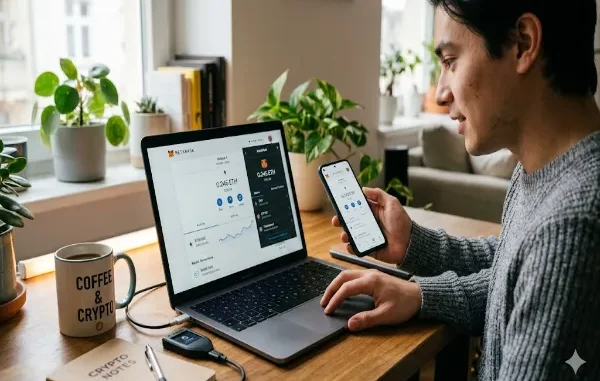
A crypto wallet is a tool that stores private keys and allows users to access, send, and receive blockchain assets. It does not store the coins themselves.
A crypto wallet is one of the most important tools in the entire blockchain ecosystem. If blockchain is the foundation of Web3, then wallets are the “access keys” that let you actually use it. Whether you want to trade tokens, explore DeFi (Decentralized Finance) platforms, or interact with dApps (decentralized applications), you cannot do anything meaningful without first understanding how a crypto wallet works.
Crypto wallets are also the foundation of Web3 trading, DeFi platforms, and blockchain networks like Base. Without a wallet, users cannot interact with decentralized systems or participate in token economies.
This guide breaks everything down in a simple, beginner-friendly way using MetaMask as our primary example, as it remains the most widely used Web3 wallet today.
What Is a Crypto Wallet?
A crypto wallet is a digital tool that allows users to securely store, send, and receive cryptocurrencies. However, unlike a traditional wallet that holds physical cash, a crypto wallet does not actually store your coins.
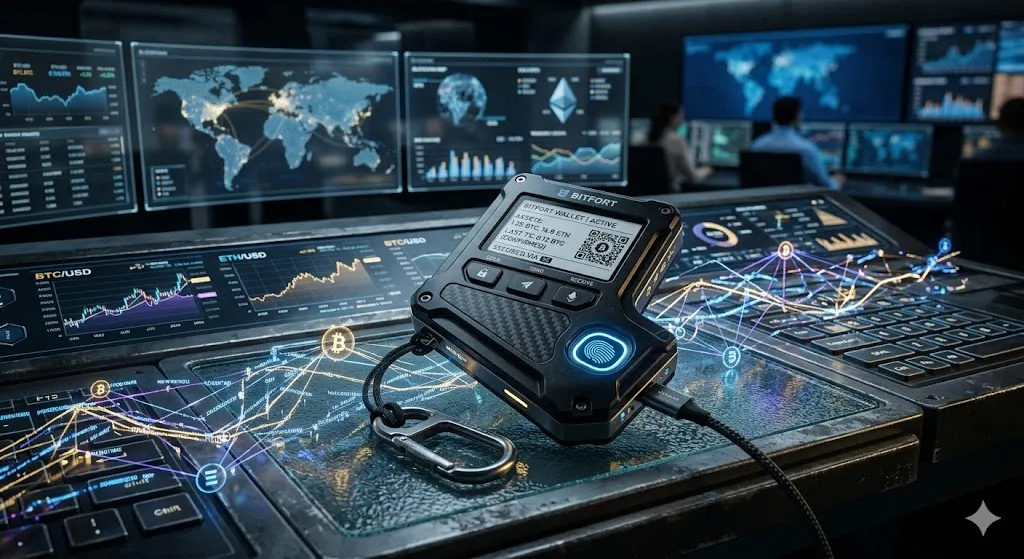
Instead, it stores your private keys and public addresses, which act as your cryptographic credentials to access your assets on the blockchain.
The Blockchain Analogy:
- The Blockchain is a public bank ledger.
- Your Crypto Wallet is the digital key that proves ownership of your funds.
- Your Coins always stay on the blockchain, never inside the physical wallet or app itself.
Because your wallet acts as the sole key to your funds, losing access to it can mean losing your crypto assets permanently.
Why Crypto Wallets Are Essential for Web3
Crypto wallets are not just for asset storage; they function as your digital identity across the decentralized internet. With a Web3 wallet, you can:
- Connect to Decentralized Exchanges (DEXs) like Uniswap or PancakeSwap.
- Buy, sell, and swap crypto tokens directly peer-to-peer.
- Interact with DeFi protocols to earn interest or borrow assets.
- Mint, buy, and store NFTs (Non-Fungible Tokens).
- Log into blockchain applications without needing a username or password.
Types of Crypto Wallets: Hot vs. Cold Storage
Before installing MetaMask, it is crucial to understand the two primary types of crypto wallets: Hot Wallets and Cold Wallets.
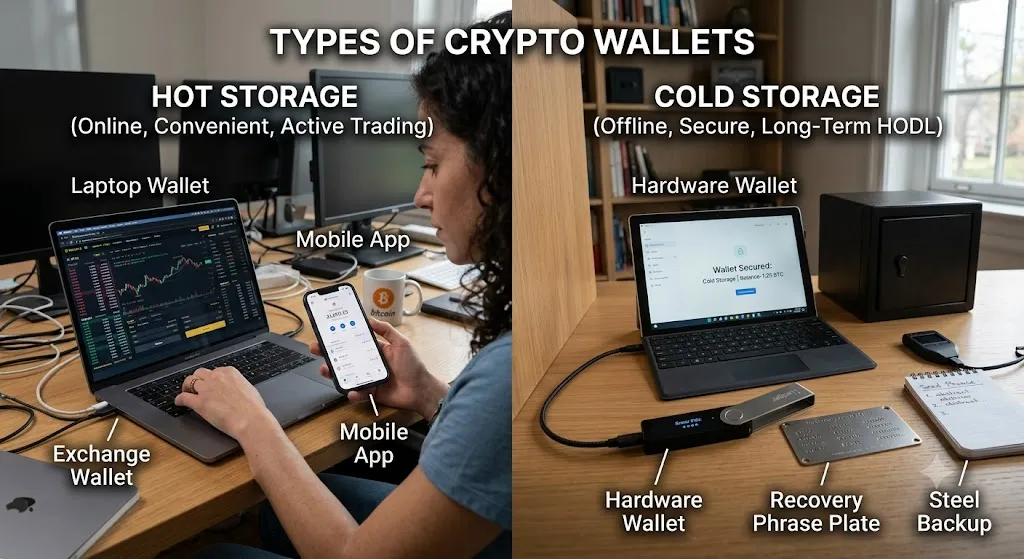
1. Hot Wallets (Internet-Connected)
Hot wallets are software-based applications connected directly to the internet. Examples include browser extensions and mobile apps.
- Pros: Free, easy to access, supports fast transactions, and ideal for daily trading.
- Cons: More exposed to online security threats, malware, and phishing attacks.
- Note: MetaMask is classified as a hot wallet.
2. Cold Wallets (Hardware/Offline Storage)
Cold wallets store your private keys entirely offline on physical hardware devices.
- Pros: Immune to online hacking attempts; the gold standard for long-term crypto storage.
- Cons: Costly to purchase, less convenient for daily Web3 transactions.
- Examples include hardware brands like Ledger and Trezor.
What Is MetaMask and Why Is It So Popular?
MetaMask is a non-custodial crypto wallet designed specifically for the Ethereum blockchain and EVM (Ethereum Virtual Machine) compatible networks (like Polygon, Arbitrum, and BNB Chain).
It is available as a browser extension (Chrome, Brave, Firefox) and a mobile app (iOS and Android). MetaMask is the industry standard because it acts as a seamless bridge between your web browser and decentralized applications, eliminating the need for a centralized intermediary.
MetaMask (Crypto Wallet Definition)
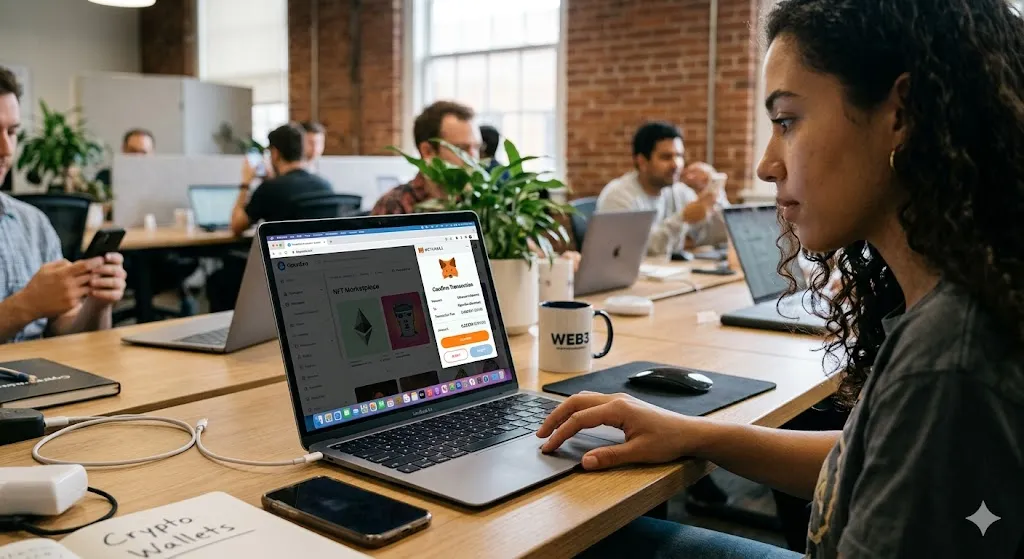
MetaMask is a non-custodial crypto wallet that allows users to store private keys, manage digital assets, and connect directly to blockchain applications like DeFi platforms and NFT marketplaces. It works as a browser extension and mobile app, acting as a bridge between users and Ethereum-based Web3 networks.
To understand how blockchain transactions are validated, read our guide on What Is Blockchain? A Simple Beginner Guide to How It Works.
Step-by-Step Guide: How to Set Up and Use MetaMask
Step 1: Install the MetaMask Extension or App
- Visit the official website at metamask.io (always verify the URL to avoid phishing sites).
- Download the extension for your preferred desktop browser or download the mobile app.
- Install the application and click “Create a New Wallet.”
Step 2: Back Up Your Secret Recovery Phrase
Seed Phrase (Recovery Phrase Definition)
A seed phrase, also called a Secret Recovery Phrase, is a 12- or 24-word sequence that gives full access to a crypto wallet and all associated funds. It is the master key to your wallet, and anyone who has access to it can control your assets. If it is lost, there is no way to recover the wallet.
During setup, you will create a local password, followed by receiving a 12-word Secret Recovery Phrase (also known as a seed phrase). This phrase is the master key to your funds.
- Write it down on paper and store it in a secure, physical location.
- Never store it digitally (no screenshots, cloud storage, or emails).
- Never share it with anyone. No legitimate support agent will ever ask for it.
Step 3: Find Your Public Wallet Address
Your public wallet address is your blockchain account number. It is a long alphanumeric string starting with 0x (e.g., 0xA1b2C3...). You can safely share this address with others to receive crypto, much like sharing an email address.
Step 4: Add Funds to Your Wallet
To interact with Web3, you need to fund your wallet with native tokens (like Ethereum’s ETH) to cover transaction costs. You can fund your wallet by buying crypto directly within MetaMask via their fiat gateways, or by transferring crypto from a centralized exchange (like Coinbase or Binance) to your public MetaMask address.
Step 5: Connect MetaMask to dApps and DeFi
When visiting a Web3 site (like an NFT marketplace or a DeFi protocol), look for the “Connect Wallet” button. Select MetaMask, review the permissions in the pop-up window, and approve the connection. This allows the app to view your public address, but it cannot touch your funds without your explicit permission.
Step 6: Send and Receive Crypto
- To Send: Click “Send” in MetaMask, paste the recipient’s exact wallet address, enter the amount, review the network fee, and confirm.
- To Receive: Click your account name at the top of the MetaMask interface to copy your public address to your clipboard, then share it with the sender.
- Note: Blockchain transactions are irreversible. Always double-check the address.
Step 7: Understand Blockchain Gas Fees
Every action on a blockchain requires computational power. Users pay for this power using a network fee known as a gas fee. Gas fees fluctuate based on network congestion and are paid in the network’s native token (e.g., ETH on Ethereum, MATIC on Polygon).
Gas Fees (Blockchain Transaction Cost Definition)
Gas fees are small payments required to process and validate transactions on a blockchain network. They compensate network validators for computing power and fluctuate depending on network congestion, demand, and blockchain activity. Gas fees are typically paid in the native cryptocurrency of the network (for example, ETH on Ethereum or MATIC on Polygon).
Step 8: Manually Import Custom Tokens
If you swap tokens and they do not immediately appear in your MetaMask dashboard, do not panic. You simply need to click “Import Tokens,” search for the token name, or paste its official Token Contract Address (found on sites like CoinMarketCap or CoinGecko) to make it visible in your UI.
Essential Crypto Wallet Security Practices
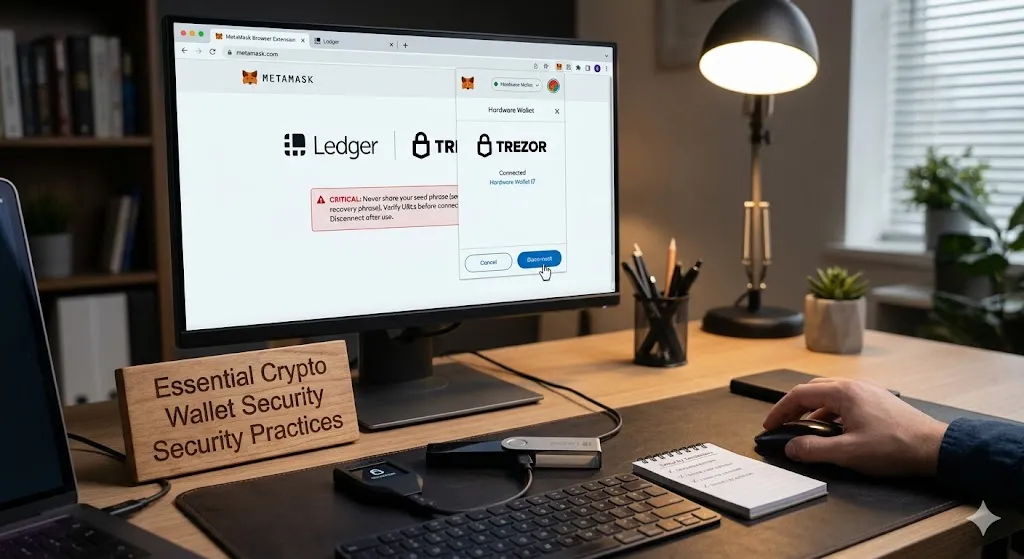
Because crypto wallets grant you complete control, you carry full responsibility for your security. Protect your digital assets by following these rules:
- Never share your seed phrase under any circumstance.
- Always verify website URLs before connecting your wallet to prevent draining smart contracts.
- Disconnect your wallet from dApps via the MetaMask settings menu when you are finished trading.
- Consider a hardware wallet link: You can connect a Ledger or Trezor directly to MetaMask for maximum security.
Double-Check Wallet Addresses and Networks Before Sending Crypto
When sending cryptocurrency, one of the most critical safety steps is verifying that you are using the correct wallet address and blockchain network, because different coins use different address formats and they are not interchangeable. For example, Bitcoin addresses typically start with “1”, “3”, or “bc1”, depending on the wallet type and format, while Ethereum and most EVM-based tokens use addresses that begin with “0x”.

Other networks may have completely different structures or require specific chain selection inside your wallet. If you send funds to the wrong address type or on the wrong network, the transaction is usually irreversible, meaning the assets are permanently lost. This is why it is essential to always double-check the full address character by character, confirm that the correct network is selected in your wallet (such as MetaMask), and ideally send a small test transaction first before transferring larger amounts.
Match the Correct Network When Sending Crypto (USDT, BTC, ETH and More)
When sending cryptocurrency, it is essential to understand that the same asset can exist on multiple networks, and choosing the wrong one can result in lost funds. For example, USDT (Tether) can be sent on different blockchains such as TRC-20 (Tron network), ERC-20 (Ethereum network), and BEP-20 (BNB Smart Chain). A USDT transfer sent via TRC-20 will only work if the receiving wallet supports the Tron network, while sending the same USDT via ERC-20 requires an Ethereum-compatible address starting with “0x”.
Similarly, Bitcoin uses its own formats like “bc1”, “1”, or “3”, and cannot be sent directly to Ethereum or Tron addresses. The key rule is that you must always match both the token type and the correct network before confirming a transaction. Even if the wallet address looks similar, using the wrong chain can permanently lock or destroy access to your funds. To stay safe, verify the network label in your wallet (such as TRC-20, ERC-20, or BEP-20), double-check the full address, and when in doubt, send a small test transaction first before transferring larger amounts.
Key Takeaways
- A crypto wallet does not store coins directly; it stores private keys that give access to your assets on the blockchain.
- MetaMask is one of the most widely used non-custodial wallets, acting as a bridge between users and Ethereum-based Web3 applications.
- Crypto wallets are essential for interacting with DeFi platforms, dApps, NFT marketplaces, and Web3 trading systems.
- There are two main types of wallets: hot wallets (online, convenient) and cold wallets (offline, more secure).
- Your seed phrase is the master key to your wallet; losing it means permanently losing access to your funds.
- Gas fees are required to process blockchain transactions and vary depending on network activity and congestion.
- Always verify wallet addresses and network types (such as TRC-20, ERC-20, or BEP-20) before sending crypto, as mistakes are irreversible.
- Security in crypto depends mainly on user behavior—protecting your seed phrase and avoiding phishing sites is critical.
Frequently Asked Questions (FAQ)
MetaMask is safe when used correctly because it is a non-custodial wallet, meaning only the user controls the private keys. However, security depends entirely on user behavior. If a seed phrase is shared or a malicious website is approved, funds can be stolen permanently.
MetaMask itself is not typically “hacked,” but users can lose funds through phishing websites, fake extensions, or approving malicious smart contracts. The wallet is secure, but the environment around it (websites and dApps) is where most risks occur.
If you lose your seed phrase and are logged out or your device is lost, your crypto cannot be recovered. MetaMask does not store or reset seed phrases, meaning access to the wallet is permanently lost without it.
Gas fees are transaction costs paid to blockchain networks to process actions such as sending tokens, swapping assets, or interacting with smart contracts. Fees vary depending on network traffic and are paid in the blockchain’s native token.
Yes, and it is one of the most common crypto mistakes. Sending assets to the wrong network (for example, sending USDT via ERC-20 to a TRC-20 address) can result in permanent loss of funds. Always confirm both the network and wallet type before sending.
No. MetaMask does not require KYC (Know Your Customer) because it is a decentralized, non-custodial wallet. However, exchanges or platforms you connect to may require identity verification.
MetaMask is a wallet, meaning you control your private keys and funds directly. A crypto exchange (like Binance or Coinbase) is a custodial platform, meaning it holds your funds and manages accounts on your behalf.
Final Thoughts
A crypto wallet is your foundational gateway into the entire blockchain ecosystem. Mastering a non-custodial wallet like MetaMask transitions you from being a passive crypto observer to an active, sovereign participant in the Web3, DeFi, and NFT economies.
Disclaimer
This article is for educational and informational purposes only and should not be considered financial, investment, legal, or tax advice. Cryptocurrency and Web3 technologies involve significant risk, including the possible loss of funds due to market volatility, user error, or security breaches.
MetaMask and other crypto wallets are non-custodial tools, meaning users are fully responsible for managing their private keys and seed phrases. If a seed phrase is lost or exposed, access to funds may be permanently lost.
Always do your own research (DYOR) before using any crypto wallet, interacting with decentralized applications, or transferring digital assets. Never share your seed phrase or private keys with anyone, and be cautious of phishing websites and scams.
About the Author:
Ana Milojevic is a crypto writer and the creator of basedmoondog.com. She writes in-depth guides on Web3, DeFi liquidity, and AI trading technologies, including insights on MoonDog AI. When she isn’t breaking down complex crypto mechanics, she is tracking market trends across decentralized ecosystems.
Leave a Reply