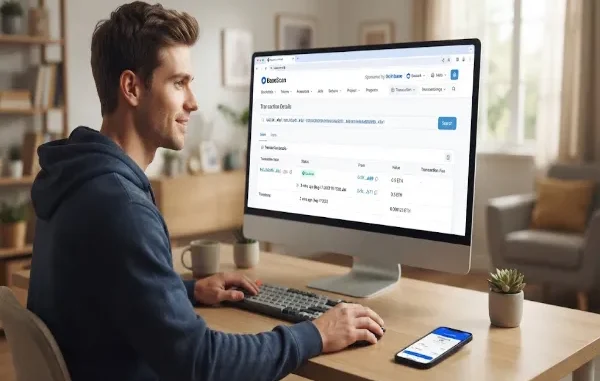
BaseScan is a free blockchain explorer for Base, Coinbase’s Ethereum Layer 2 network. It lets users search and verify transactions, wallet addresses, token transfers, blocks, and smart contracts without connecting a crypto wallet.
BaseScan is a widely used block explorer for Base, letting anyone look up wallet addresses, transaction hashes, token transfers, and smart contracts on the Base network for free, without needing a wallet or account. Think of it as a search engine for blockchain activity — instead of searching web pages, you search transactions, wallets, and contracts, and instead of guessing what happened on-chain, you can see it directly.
If you’ve ever sent crypto and wanted proof it actually arrived, or watched a transaction seem to “disappear” after clicking confirm, this is the tool that answers those questions. The guide covers what BaseScan actually is, how it fits into the Base network, and how to use it to track your own transactions step by step.
Quick Answer: What Is BaseScan?
| What it is | A blockchain explorer for the Base network |
| What it does | Lets you look up transactions, wallets, tokens, and smart contracts |
| Cost | Free to use, no account required for basic lookups |
| Built by | The same team behind Etherscan |
| Network it covers | Base — Coinbase’s Ethereum Layer 2 (L2) network |
| Common use cases | Confirming a transaction, checking a wallet balance, verifying a smart contract, spotting scam tokens |
What Is BaseScan, Exactly?
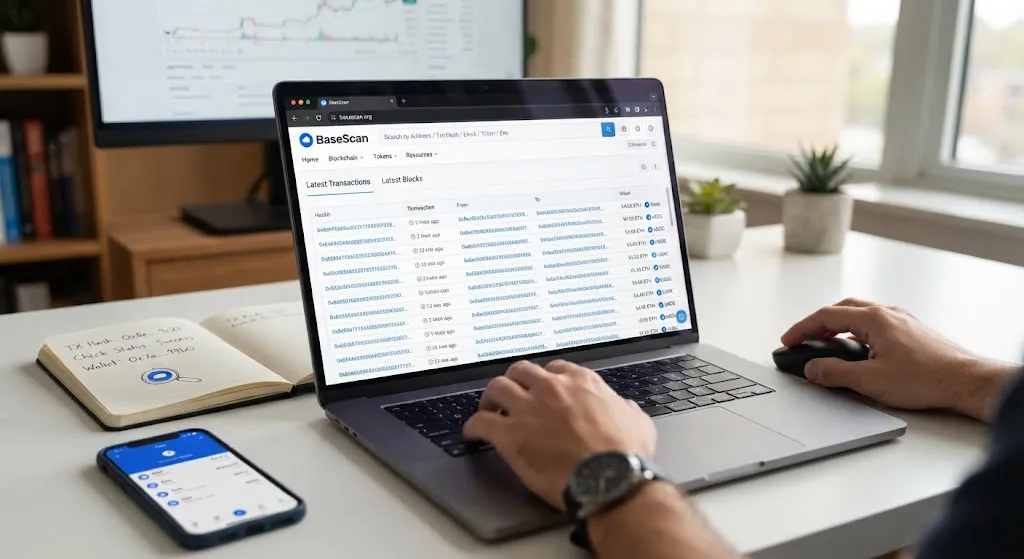
BaseScan is a widely used blockchain explorer for the Base network. It is a search engine that lets users look up, confirm, and validate transactions that have taken place on the Base chain. Every transaction on Base is recorded permanently on a public ledger. BaseScan indexes that public ledger and makes the information searchable through its website, functioning as a transparency layer over the raw blockchain data.
It’s worth being clear about what BaseScan is not. BaseScan is not a wallet service — it doesn’t store your private keys, and it has no control over the transactions taking place on the Base network. It doesn’t move funds, hold custody of anything, or let you send crypto. It only reads and displays information that’s already public on the blockchain. That distinction matters, because it means BaseScan does not custody your funds, control your wallet, or have the ability to reverse confirmed blockchain transactions.
What Is Base, and Why Does It Need Its Own Explorer?
To understand why BaseScan exists, it helps to understand Base itself. Base is an Ethereum Layer 2 scaling solution developed by Coinbase, built on the OP Stack — the same underlying technology stack used by Optimism. Layer 2 networks like Base process transactions faster and more cheaply than Ethereum’s main network, while still relying on Ethereum for underlying security.
Because Base is technically a separate chain from Ethereum, transactions on Base don’t show up on Ethereum’s own explorer, Etherscan. BaseScan fills that gap — it’s operated by the Etherscan team and functions similarly to Etherscan on Ethereum, giving Base its own dedicated, purpose-built window into on-chain activity. If you’re used to checking Etherscan for Ethereum transactions, BaseScan will likely feel immediately familiar — it shares the same interface style and reliability that longtime Ethereum users already recognize.
What You Can Actually Search on BaseScan
BaseScan accepts several types of input, and understanding which one to use makes the tool far more useful.
- Wallet addresses — see every transaction a specific wallet has sent or received, along with its current token balances
- Transaction hashes (TX hash) — look up the exact status and details of one specific transaction
- Block numbers — see detailed information about a specific block, including its timestamp, hash, and the transactions it contains
- Token contract addresses — check a token’s supply, holder distribution, and transfer history
- ENS names or Basenames — search using human-readable names instead of long wallet addresses
This turns BaseScan into something like a search engine for blockchain data, letting anyone independently verify what’s actually happening on the network — without needing to trust a middleman’s word for it.
How to Track a Transaction on BaseScan: Step by Step
Here’s the most common use case — confirming that a transaction actually went through.
- Get your transaction hash. After sending crypto from a wallet like MetaMask or Coinbase Wallet, you’ll typically be given a transaction hash (a long string of letters and numbers) or a direct link to view it.
- Go to BaseScan and paste the hash into the search bar. This pulls up the transaction’s full details instantly.
- Check the status. A confirmed transaction will show as “Success.” A pending one will show as “Pending,” and a failed one will clearly display an error status along with a reason where available.
- Review the details. You can see the sender and recipient addresses, the amount transferred, the timestamp, the gas fee paid, and how many block confirmations it has received.
- Cross-check the addresses. If you’re verifying a payment, confirm that the “From” and “To” addresses match exactly what you expected — this is also a useful scam-prevention habit.
If a transaction doesn’t show up immediately, it doesn’t necessarily mean something went wrong. During periods of high network activity, indexing delays can occasionally occur, where a transaction is confirmed on-chain before it appears in the explorer’s interface. Give it a few minutes before assuming there’s a problem.
How to Check a Wallet’s Balance and History
Beyond individual transactions, BaseScan lets you look up an entire wallet’s activity:
- Copy the wallet address you want to check (starts with “0x”).
- Paste it into the BaseScan search bar.
- The wallet’s page will display its current token balances, a full history of incoming and outgoing transactions, and any smart contract interactions it’s made.
This is useful not just for checking your own wallet, but for verifying a wallet before sending funds to it — for example, confirming that an address you were given by a seller or counterparty actually has prior legitimate activity, rather than being a freshly created address with no history.
Using BaseScan to Spot Scam Tokens
One practical use of BaseScan is researching unfamiliar tokens and smart contracts before interacting with them. Community discussions commonly recommend BaseScan as a first step for checking suspicious token contracts and wallet behavior, with users inspecting contract permissions, token supply controls, and holder distributions to detect scams.
A few red flags worth checking on any unfamiliar token’s BaseScan page:
- Extremely concentrated holder distribution — if a tiny handful of wallets hold the vast majority of a token’s supply, that’s a warning sign
- Unverified contract code — legitimate projects typically verify their smart contract source code so it’s publicly readable; unverified contracts hide what the code actually does
- Unusual owner permissions — some scam tokens are coded to let a single wallet mint unlimited new tokens, freeze transfers, or drain liquidity at will
None of these checks guarantee safety on their own, but combined, they give you a meaningful head start on evaluating a token before committing money to it.
Who Actually Uses BaseScan?
BaseScan serves a few overlapping groups, each with a different primary use case:
- Everyday users verifying that a payment or transfer actually completed
- Traders and investors researching a token’s contract, supply, and holder activity before buying
- Developers debugging transactions, verifying contracts, monitoring gas usage, reading contract events, testing deployments, and analyzing user activity
- Security-conscious users checking a wallet or contract’s history before interacting with it
How to Find a BaseScan Transaction Hash
One of the most common beginner sticking points isn’t using BaseScan itself — it’s not knowing where to find the transaction hash in the first place. The good news is that every wallet and platform used to send crypto keeps a record of it, usually just a tap or two away.
- In MetaMask, open the “Activity” tab, tap the transaction you want to check, and you’ll see a “View on block explorer” link or the transaction hash listed directly in the details.
- In Coinbase Wallet, go to your transaction history, select the specific transaction, and look for the hash listed under the transaction details — often labeled simply as “Transaction ID” or shown as a clickable link.
- In other compatible wallets (like Rainbow, Trust Wallet, or similar Base-supported wallets), the hash is typically found in the same place: your activity or transaction history, attached to the specific transfer you’re looking for.
- On the sending platform itself — an exchange, an app, or a website you used to send funds — the transaction history section will usually display the hash alongside the date, amount, and recipient address.
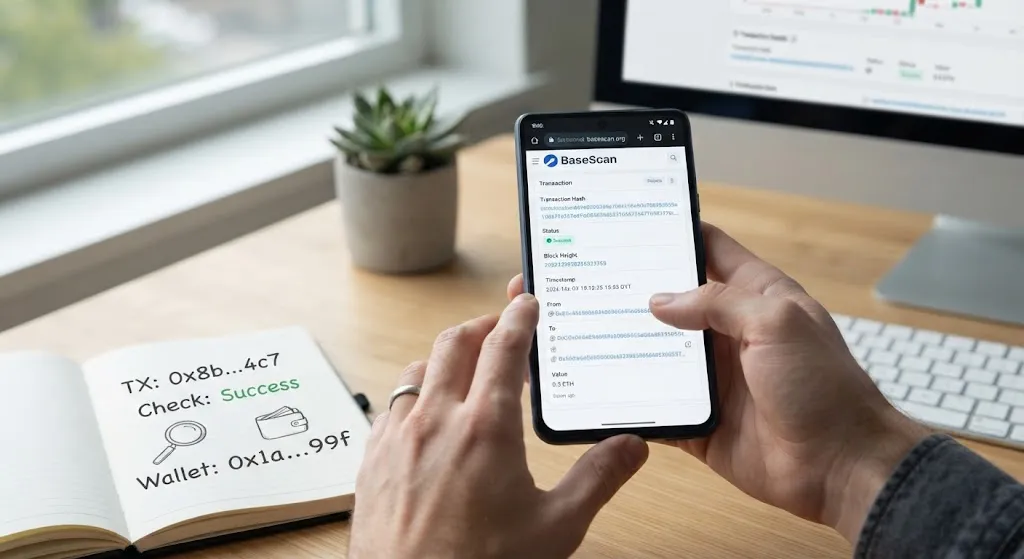
Once you have the hash — a long string starting with “0x” followed by a mix of letters and numbers — copy it exactly as shown. Then head to BaseScan, paste it directly into the search bar at the top of the page, and press enter. This pulls up the full transaction record instantly: its status, the sender and recipient, the amount transferred, the timestamp, and the network fee paid — everything you need to confirm exactly what happened, without depending on the wallet app’s own status screen.
How to Read a BaseScan Transaction
Once you’ve pulled up a transaction on BaseScan, the page can look intimidating at first — a dense list of fields and long strings of numbers. In practice, though, only a handful of fields matter for most everyday checks, and each one answers a specific question.
- Status — whether the transaction succeeded, failed, or is still pending. This is usually the first thing worth checking.
- Block — the block containing the transaction. Once the transaction is confirmed and included in the blockchain, this provides a permanent on-chain record, subject to the network’s consensus and finality.
- Timestamp — exactly when the transaction was processed, shown as both a relative time (“5 mins ago”) and an exact date/time.
- From — the wallet address that sent the transaction. Always worth cross-checking against what you expect.
- To — the receiving address, or the smart contract address if the transaction was interacting with a dApp or protocol.
- Value — the amount of ETH transferred directly in the transaction, separate from any ERC-20 token transfers listed below it.
- Transaction fee — the total cost paid to process the transaction, shown in both the native token and its approximate dollar value.
- Gas price — the rate paid per unit of computational work the transaction required, which combines with gas used to determine the total fee.
- Method — the specific function that was called, such as a simple “Transfer,” or something more complex like “Swap” or “Approve” for contract interactions.
- Token transfers — a separate section listing any tokens (like USDC or an NFT) that moved as part of the transaction, distinct from the native ETH value field above.
Together, these fields answer the question that actually matters: what happened, when, between whom, and at what cost — all without needing to trust anyone’s word for it.
Common Misconceptions About BaseScan
“BaseScan is a wallet — I can use it to send or store crypto.”
No. BaseScan doesn’t store private keys and has no control over transactions on the network — it only displays information. You still need a separate wallet (like MetaMask or Coinbase Wallet) to actually hold or send funds.
“If my transaction isn’t showing on BaseScan yet, something is wrong.”
Not necessarily. Brief indexing delays during high network traffic are a known, occasional occurrence and don’t indicate a failed transaction. Check again in a few minutes before assuming there’s an issue.
“BaseScan can reverse or recover a transaction.”
Blockchain transactions are immutable once confirmed. BaseScan is a viewer, not a controller — it can’t undo, cancel, or recover funds sent to the wrong address.
“Checking a contract on BaseScan guarantees it’s safe.”
BaseScan gives you the raw information needed to evaluate a contract, but it doesn’t issue safety ratings or guarantees. Verified code and reasonable holder distribution are good signs, not certainties.
The Bottom Line
BaseScan is, at its core, a transparency tool — it takes the raw, cryptographic data recorded on the Base blockchain and turns it into something searchable and human-readable. Whether you’re confirming a payment went through, checking a wallet’s history before trusting it, researching a token before buying, or debugging a smart contract as a developer, BaseScan is usually the fastest way to get a direct, verifiable answer instead of relying on someone else’s word for what happened on-chain.
Understanding how to read a transaction, check a wallet, and spot the warning signs of a scam token turns BaseScan from an intimidating wall of blockchain data into one of the more genuinely useful, everyday tools available to anyone using the Base network.
Frequently Asked Questions
Is BaseScan free to use?
Yes. Looking up transactions, wallets, tokens, and contracts on BaseScan is free and doesn’t require creating an account.
Do I need a crypto wallet to use BaseScan?
No. BaseScan is a read-only explorer — you can search and view any public information on the Base network without connecting or owning a wallet yourself.
What’s the difference between BaseScan and Etherscan?
Etherscan indexes Ethereum’s main network, while BaseScan indexes Base, Coinbase’s Ethereum Layer 2 network. They’re operated by the same team and share a similar interface, but they track separate, distinct chains.
Can BaseScan help me recover lost or stolen crypto?
No. BaseScan can show you where funds went, but it has no ability to reverse transactions, freeze wallets, or recover funds — blockchain transactions are permanent once confirmed.
Why doesn’t my transaction show up on BaseScan yet?
A short delay can sometimes occur between a transaction being processed on-chain and appearing in an explorer interface, especially during periods of high network activity. If it doesn’t appear immediately, wait a little and check again.
Can I use BaseScan to check if a token is a scam?
BaseScan won’t label a token as a scam outright, but it lets you check useful warning signs — like contract verification status, holder concentration, and unusual owner permissions — that are commonly used to evaluate token risk.
Sources
- BaseScan Information Center — What Is BaseScan?
Official explanation of BaseScan as a block explorer for the Base chain, its indexing function, and its role as a non-custodial transparency tool. - Gate Glossary — What Is Base Etherscan?
Explains the role of Base blockchain explorers, how they work, and their relationship to the broader Base Layer 2 ecosystem.
About the Author:
Ana Milojevic is a crypto writer and the creator of basedmoondog.com. She writes in-depth guides on Web3, DeFi, blockchain technology, and AI-related crypto projects. When she isn’t breaking down complex crypto mechanics, she is tracking market trends across decentralized ecosystems.
Editorial Note
Editorial Note: This article was prepared to provide a clear, beginner-friendly explanation of BaseScan and its practical uses on the Base network. It focuses on how readers can independently verify transactions, review wallet activity, examine token contracts, and better understand publicly available blockchain data. While BaseScan can provide useful information for research and verification, readers should not treat explorer data as a guarantee that a cryptocurrency, wallet, or smart contract is safe. Always conduct additional research before interacting with unfamiliar digital assets.
Disclosure
Disclosure: This article is provided for informational and educational purposes only and should not be considered financial, investment, trading, or legal advice. Cryptocurrency and digital assets are highly volatile and involve significant risk, including the potential loss of your entire investment. BaseScan provides publicly available blockchain data, but checking a transaction, wallet, or token contract does not guarantee that an asset or project is safe or legitimate. Always conduct your own research and consider your risk tolerance before making any cryptocurrency-related decisions.
Leave a Reply