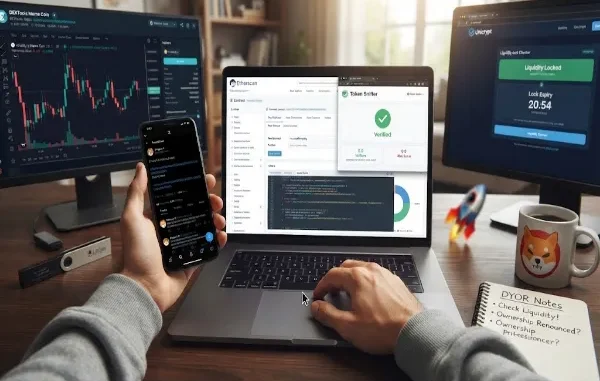
The safest way to check a meme coin before buying is to verify its contract address, inspect the source code and owner privileges, check liquidity locks, test for honeypot behavior, review holder concentration and buy/sell taxes, and analyze trading activity. No single check proves a token is safe, so use several signals together.
Every day, thousands of new meme coins launch across Ethereum, Solana, Base, and BNB Chain. Most of them will go to zero. Some of them are designed to go to zero — on purpose, by the people who created them. The difference between a coin that’s just a bad bet and one that’s an outright scam usually shows up in the contract itself, if you know where to look.
This guide walks through exactly how to check a meme coin’s contract before you buy, step by step, using free tools anyone can access. None of this guarantees a token is safe — nothing can — but it will filter out the large majority of obvious scams before you ever connect a wallet.
| Check | What you’re looking for | Risk |
|---|---|---|
| Contract verification | Verified source code | High if unverified |
| Owner privileges | Mint, blacklist, pause, tax controls | High |
| Liquidity | Locked liquidity | High if unlocked |
| Honeypot test | Ability to sell | Critical |
| Holders | Concentration | High |
| Taxes | Reasonable, fixed taxes | High if changeable |
Why This Actually Matters
This isn’t a hypothetical risk. Blockchain security firm Chainalysis reported that rug pulls accounted for over $2.8 billion in losses during 2025 alone. Meme coins are especially exposed because, unlike more established tokens, they’re unlikely to have extensive smart contract audits, which means the burden of checking the contract falls on you.
Before diving into the steps, it helps to understand the two main ways these scams work, because they call for slightly different checks:
- A rug pull happens when the developers hold the keys to the liquidity pool, wait for buyers to fill it up, then withdraw everything at once, leaving the price at effectively zero.
- A honeypot is a contract coded so you can buy the token but never sell it, or so selling triggers punishing fees. It can look completely legitimate — normal marketing, an active community, real early trades — right up until you try to exit.
Both are avoidable if you check the right things before you buy, not after.
Step 1: Get the Contract Address From a Trusted Source
Never search for a token by name inside a DEX interface. Scammers routinely clone the names and tickers of trending coins, sometimes dozens of copies of the same token. Instead, pull the contract address directly from the project’s official site, its pinned post on X, or a verified listing on a site like CoinGecko or CoinMarketCap — and cross-check that the same address shows up in more than one of those places before you trust it.
Step 2: Verify the Contract on a Block Explorer
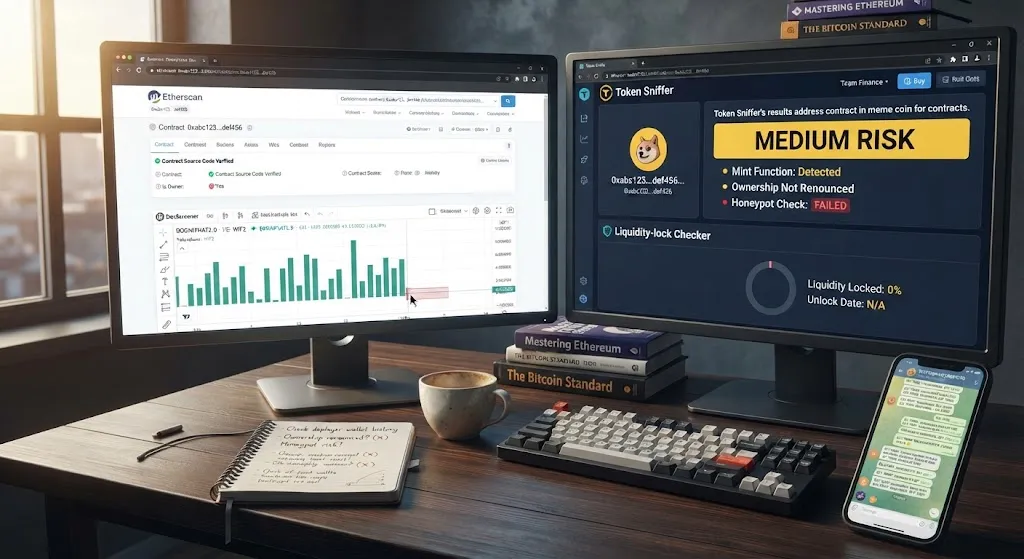
Paste the address into the relevant block explorer — Etherscan for Ethereum, BscScan for BNB Chain, Solscan for Solana. This is the foundation of every other check you’ll do, so don’t skip it.
Look for:
- Source code verification. If the contract isn’t verified, that’s an immediate red flag — it means you can’t actually see what the code does before you buy.
- Proxy contracts. If the explorer shows the contract is a proxy, the logic behind it can be swapped out later, even after you’ve bought in. Click through to the implementation contract and check that too.
- Creator and deploy history. Look at the wallet that deployed the contract. Sudden minting right after launch, a history of deploying similar tokens, or a wallet that traces back to previously known scams are all reasons to walk away immediately.
Step 3: Check Whether Ownership Has Been Renounced
On the contract tab of the block explorer, check whether ownership has been renounced. If ownership is still active, the developer retains the ability to change core parts of how the token behaves — including adding hidden fees or minting new supply — after you’ve already bought in.
One important caveat: renouncing ownership isn’t an automatic guarantee of safety. Ownership that looks renounced can still hide real control behind a proxy admin or a multisig wallet, so treat this as one signal among several, not a single pass/fail test.
Step 4: Look for Owner Privileges and a Live Mint Function
Even without full ownership, some contracts leave the deployer with special powers baked in — the ability to mint new tokens, change buy/sell taxes, blacklist wallets, or pause trading entirely.
A live mint function is one of the more dangerous ones to miss. If the contract can mint new tokens after launch, the team can quietly balloon the supply and sell a large batch into the pool, crashing the price on holders who had no way to see it coming.
Step 5: Check the Liquidity Lock
Liquidity is what actually lets you sell — it’s the pool of real assets (ETH, SOL, BNB) paired against the token. If the team that deployed the token can withdraw that liquidity whenever they want, they can pull it in a single transaction and leave the token essentially unsellable.
Use a liquidity-lock checker to confirm the pool is genuinely locked, and check how long the lock actually lasts. A lock that expires in a few days offers you almost no real protection — plenty of tokens have looked safe right up until the lock ran out and the liquidity disappeared shortly after.
Step 6: Run a Honeypot Check
This is the step that catches the trap before you’re in it. Paste the contract address into a honeypot checker (Token Sniffer and ApeSpace’s honeypot tool are both commonly used, free options). These tools simulate a small buy and sell against the real contract and flag it if selling is blocked or hit with extreme fees.
It’s worth being clear about the limits here too: these checkers rely on simulations and heuristics, and contracts can be changed after launch to defeat them. Treat a clean result as a good sign, not a guarantee.
Step 7: Check Holder Distribution
Open the “Holders” tab on the block explorer. This tells you how concentrated ownership actually is. As a general guideline, if the top 10 wallets hold more than roughly 30% of total supply, treat that as a high-risk signal — it means a small number of wallets could crash the price by selling, whether that’s coordinated or not.
Also watch for “bundled buys” — a cluster of wallets buying at nearly the same time, in similar sizes, right after launch. This pattern is often used to artificially inflate the price before a rug pull, making the chart look like organic early demand when it isn’t.
Step 8: Check Buy/Sell Taxes
Many meme coin contracts include a built-in tax on buying and selling, and a reasonable tax isn’t automatically a red flag — plenty of legitimate projects use a small tax to fund development or marketing. What matters is whether that tax is fixed and reasonable, or whether the owner can change it at will. A contract that allows the tax to be pushed up to 40-99% effectively traps your money in the pool even without a classic liquidity rug.
Step 9: Look at the Trading Pattern, Not Just the Price Chart
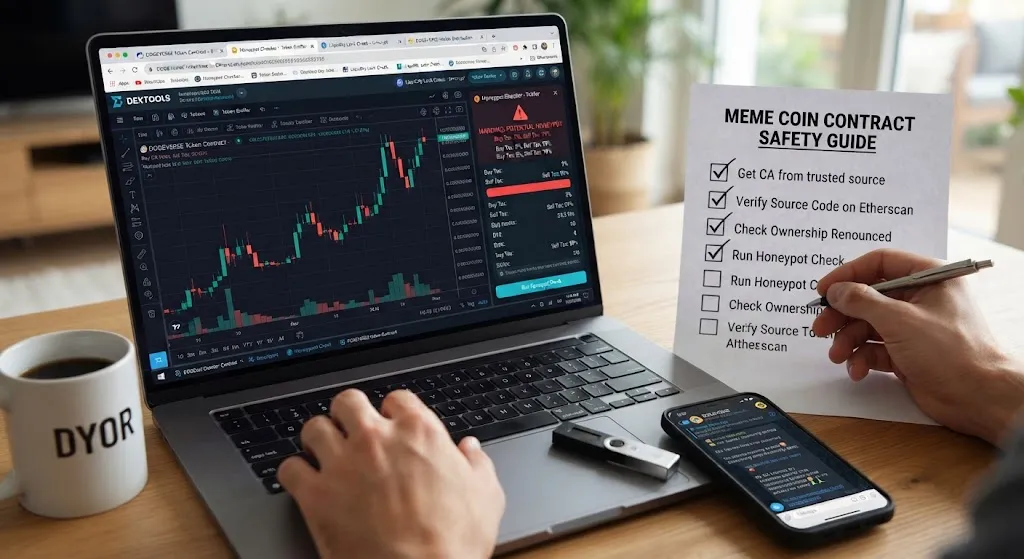
A rising chart can be manufactured. On a tool like DEXTools or DexScreener, look past the price line itself:
- Only green candles, no red ones is a classic signature of a honeypot — nobody is able to sell, so no sell-side candles ever appear.
- Identical trade sizes and suspiciously perfectly timed trades often indicate bots inflating volume rather than real organic activity.
- A big mismatch between volume and unique holder count — heavy trading volume with very few actual holders — suggests the same wallets trading back and forth to fake momentum.
Step 10: Check the Social Signals Too
The contract tells you about the mechanics, but the community around a token tells you about the intent behind it. Some patterns worth watching for:
- Multiple unrelated influencers promoting the exact same obscure token at the same time
- A Telegram or Discord with thousands of members but almost no real conversation happening
- Claims of partnerships with well-known companies with no way to verify them
- Heavy pressure language (“buy now before it’s too late”) designed to short-circuit careful thinking
- Team photos that turn out to be stock images when reverse-searched
None of these alone is proof of a scam, but a token that stacks up several of them at once is a token worth skipping.
Quick Reference: Tools for Checking a Token Contract
| Tool | What It’s For |
|---|---|
| Etherscan / BscScan / Solscan | Contract verification, ownership, holders, deploy history |
| Token Sniffer / ApeSpace Honeypot Checker | Simulated buy/sell test to catch honeypots |
| A liquidity-lock checker | Confirms whether and how long liquidity is actually locked |
| DEXTools / DexScreener | Trading pattern analysis, volume vs. holder mismatches |
| GeckoTerminal | Combined red-flag scoring, including freeze/mint authority checks |
Red Flags Checklist
Before buying, walk through this list. If more than one or two of these apply, treat it as a strong reason to stay away:
- Contract source code is unverified
- Ownership is not renounced, or renouncement looks incomplete (proxy/multisig control)
- A live mint function is still active
- Liquidity is unlocked, or the lock expires within days
- A honeypot checker flags blocked or heavily taxed selling
- Top 10 wallets hold a large share of total supply
- Buy/sell taxes can be changed by the owner
- Chart shows only buy-side activity with no sells
- Heavy promotion with no way to verify claims behind it
Frequently Asked Questions
What’s the difference between a rug pull and a honeypot? A rug pull removes or drains the liquidity pool so holders can’t sell at a fair price. A honeypot keeps the liquidity visible but blocks or cripples the sell function at the contract level. Different mechanisms, same result: trapped funds.
Is a verified contract on Etherscan automatically safe? No. Verification just means the source code is publicly readable — it doesn’t mean the code is safe. A verified contract can still contain a mint function, owner privileges, or a honeypot mechanism. Verification is a starting point, not a conclusion.
Does renounced ownership guarantee a token is safe? No. It removes one avenue of control, but ownership can still be hidden behind a proxy admin or a multisig wallet even after it appears renounced. Treat it as one positive signal among several, not a standalone guarantee.
Are honeypot checkers 100% reliable? No. They rely on simulations and heuristics and can be defeated by contracts that change behavior after launch. Use them as one signal in your research, not a final verdict.
How much of my portfolio should go into meme coins? This isn’t financial advice, and it depends on your own risk tolerance and situation — but meme coins are widely considered the highest-risk segment of crypto, since most have no underlying utility or revenue and are driven almost entirely by attention and hype. Many experienced traders treat meme coins as money they’re fully prepared to lose, and size positions accordingly.
How long does this whole process take? Once you’re familiar with the steps, running through a contract check typically takes just a few minutes using the free tools listed above. That’s a small time cost against the risk of buying into a token that turns out to be unsellable.
Final Thoughts
None of these checks make a meme coin a good investment — that’s a separate question entirely, and meme coins remain speculative by nature even when the contract itself is clean. What this process does is filter out the tokens that were never tradeable to begin with, which is a large share of what gets launched every day. Running through these steps before you buy takes a few minutes; skipping them can cost a lot more than that.
This article is for informational purposes only and is not financial advice. Always do your own research before buying any cryptocurrency.
Author Bio:
Ana Milojevic writes about crypto safety, on-chain research, and practical due diligence for everyday investors. She focuses on breaking down technical concepts — like reading a smart contract or spotting a honeypot — into steps anyone can follow, regardless of their background in blockchain. When she’s not researching new tokens, she’s tracking the latest scam patterns so readers can stay a step ahead of them.
Editorial Note: This guide is intended for educational purposes to help readers evaluate token contracts more carefully before investing. Cryptocurrency, and meme coins in particular, carry significant risk, including the possibility of total loss. The tools and checks outlined here can help filter out common scams, but they cannot guarantee a token’s safety or future performance. This is not financial advice — always do your own research and never invest more than you can afford to lose.
Sources & References
- Etherscan (Ethereum block explorer) — https://etherscan.io/
- BscScan (BNB Chain block explorer) — https://bscscan.com/
- Solscan (Solana block explorer) — https://solscan.io/
- Token Sniffer (contract & honeypot scanner) — https://tokensniffer.com/
- ApeSpace Honeypot Checker — https://apespace.io/
- DEXTools (trading pattern analysis) — https://www.dextools.io/
- DexScreener (trading pattern analysis) — https://dexscreener.com/
- GeckoTerminal (on-chain token analytics) — https://www.geckoterminal.com/
- CoinGecko (token verification & listings) — https://www.coingecko.com/
- Chainalysis (blockchain security & crypto crime research) — https://www.chainalysis.com/
Leave a Reply